GETTING STARTED
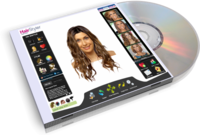

It's really easy to get started at TheHairStyler.com. Before you know it you'll have a whole bunch of new high resolution hairstyles saved in your Favorites, people will be rating your new makeovers in My Hair -Your Say, and you might even be writing your own blogs. To help make things as easy as possible we've created this guide with a few pointers and tips for using the new HairStyler. Of course you can always send us an email too or take a look at our FAQ page.
Take a tour of TheHairStyler.com and check out the following things:
Get to Know the Hairstyles Section
We've got 1000s of hairstyles from celebrities and salons around the world. All you need to do is click on the Hairstyles tab in the menu. To make things easier we've sorted them into four easy to manage categories: alternative, formal, casual and men's. Get started on your new makeover today!
Use Our Virtual Hairstyler
TheHairStyler.com has tons of hairstyles to inspire you, but best of all you can try them on using our virtual hairstyler. It's the biggest and most realistic virtual hairstyler to date and it's really easy to use. Here's some simple steps to bear in mind:
- It's free to try on hairstyles using our model, but for the most effective experience you might like to sign up and upload your own photo (make sure it's not bigger than 1 MB).
- From the homepage click on Virtual Hairstyler.
- On the Virtual Hairstyler page, and if you're using your own photo, you can add and edit your photo at the top right of the page using the buttons in the menu.
- To find some hairstyles to try on, select Hairstyle Search from the menu on the left.
- Your results will be displayed in the Hairstyles tab in the Navigator on the right side of your photo. Don't forget you can scroll through your results using the arrows at the bottom.
- Hair information and how to style tips are displayed on the bottom left of the page in the menu.
- You can add a hair color and highlights to any hairstyle. Just click on the Hair Color icon.
For a guided tour of our Virtual Hairstyler, click here to take a look at our step-by-step video!
Get Yourself a Hair Consultation
Try on hairstyles that suit you. It's easy at TheHairStyler.com: all you need to do to find a range of hairstyles that suit your personal attributes as well as your maintenance routine is complete our hair consultation. From the homepage click on the Makeover tab and select Hair Consultation.
See What the Community Thinks of Your Makeover
Once you've tried on a hairstyle you like and you're pretty happy with how it looks, you can submit it to My Hair - Your Say, TheHairStyler.com's community, to see what everyone thinks. When you're using the Virtual Hairstyler and you've done the finishing touches to your new makeover masterpiece, simply click Add to MH-YS. You can also save the hairstyle to your Favorites and email them to your friends.
Check Out Our Articles and Blogs
Stay up to date with our articles and blogs. You can find our articles and blogs from the homepage in the Style Trends tab. Don't forget you can write your own blogs in your profile page too.